

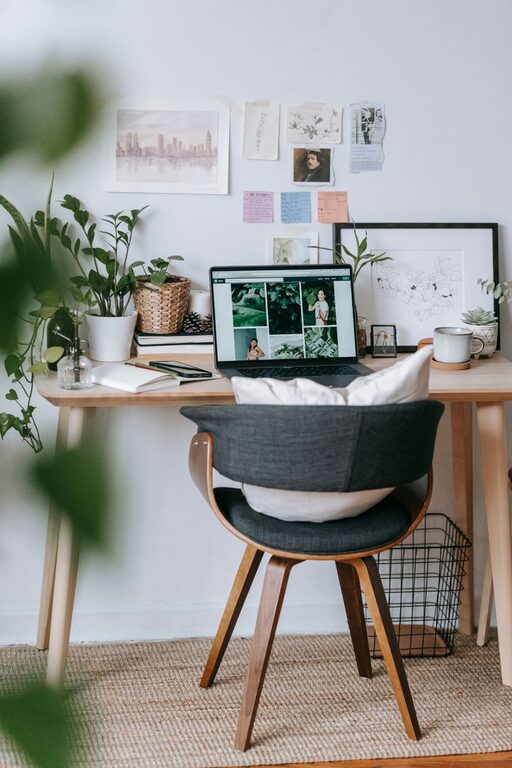
Creating a home office that is both cozy and productive can significantly enhance your work-from-home experience. Whether you’re freelancing, working remotely, or managing personal projects, a well-designed workspace can help you stay focused, comfortable, and motivated. Here are some helpful tips to guide you in setting up a home office that feels inviting and supports your productivity.
Choose the Right Location
The first step is picking the ideal spot for your home office. Find a quiet area with minimal distractions where you can concentrate. Avoid high-traffic zones if possible. If space is limited, consider a corner of your bedroom or living room that can be dedicated solely to work. Natural light is a big plus, so try to position your desk close to a window.
Tips for Location Selection
– Look for a room or nook that can be closed off.
– Ensure good ventilation and natural light.
– Keep your work zone separate from relaxation areas where possible.
Invest in a Comfortable Chair and Desk
Comfort is essential when spending long hours working. Your chair should provide adequate support to your back and encourage good posture. Likewise, your desk should be the right height and spacious enough for your computer, accessories, and writing materials.
Ergonomics Matter
– Choose an adjustable chair with lumbar support.
– Use a desk that allows your arms to rest comfortably at a 90-degree angle.
– Consider a standing desk or converter to mix sitting and standing positions.
Organize Your Space Effectively
Clutter can reduce your productivity and make your workspace feel chaotic. Create a system that works for you to keep your desk tidy and your supplies organized.
Organization Tips
– Use drawer organizers, shelves, and filing cabinets.
– Keep only essentials on your desk.
– Label storage containers for easy access.
Personalize Your Workspace
Adding personal touches can make your home office feel cozy and welcoming, which helps reduce stress and promotes creativity.
Ways to Personalize
– Hang artwork or photos that inspire you.
– Add a few plants to bring life and improve air quality.
– Use colorful accessories like pens, notebooks, or a rug.
Control Lighting
Good lighting reduces eye strain and keeps you alert. Aim for a balance between natural and artificial light.
Lighting Suggestions
– Position your desk to maximize daylight without glare.
– Use adjustable desk lamps with warm or cool bulbs depending on your preference.
– Consider installing dimmable lights to adjust the ambiance.
Minimize Noise and Distractions
Noise can disrupt your workflow. Finding ways to reduce distractions can improve your concentration and comfort.
Noise Management Ideas
– Use noise-canceling headphones.
– Play soft background music or white noise if it helps you focus.
– Add rugs, curtains, or cushions to absorb sound.
Incorporate Functional Technology
Technology is a key part of any home office, but it should work for you without adding frustration.
Tech Tips
– Ensure a strong, reliable internet connection.
– Organize cords and chargers to avoid tangling.
– Consider dual monitors if your work involves multitasking.
Schedule Breaks and Designate “Office Hours”
Creating boundaries between work and personal time can boost your productivity and maintain a healthy work-life balance.
Time Management Suggestions
– Use timers to remind yourself to take short breaks.
– Set clear work hours and communicate them with family members.
– Take breaks away from your desk to recharge.
Keep the Space Clean and Fresh
A clean and pleasant environment promotes focus and well-being.
Cleaning Tips
– Wipe down surfaces regularly.
– Declutter at the end of each day.
– Open windows to let fresh air circulate.
—
By combining these elements, you can design a home office space that feels cozy, inspires productivity, and supports your well-being. Remember, the best home office is one tailored to your needs and preferences. Take your time to experiment and adjust your workspace until it feels just right!